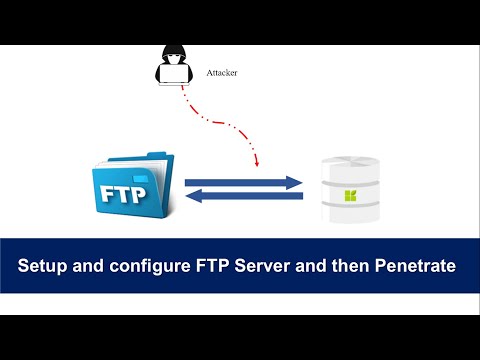
If you are a hacker, then you might have performed an attack on an FTP server using an Anonymous user.
┌──(mrdev㉿mrdev)-[~]
└─$
ftp localhost
Trying [::1]:21 ...
ftp: Can't connect to '::1:21': Connection refused
Trying 127.0.0.1:21 ...
ftp: Can't connect to '127.0.0.1:21': Connection refused
Trying
127.0.0.1:21
...
ftp: Can't connect to '
127.0.0.1:21
': Connection refused
ftp: Can't connect to 'localhost:ftp
'
ftp> bye
#To close FTP session
┌──(mrdev㉿mrdev)-[~]
└─$
sudo apt-get install vsftpd
┌──(mrdev㉿mrdev)-[~]
└─$
sudo service vsftpd start
#To Start the FTP server
*********************************
┌──(mrdev㉿mrdev)-[~]
└─$
sudo service vsftpd status
#To check the status of the FTP server
┌──(mrdev㉿mrdev)-[~]
└─$
sudo nano /etc/vsftpd.conf
**********************************************
anonymous_enable=YES
**********************************************
┌──(mrdev㉿mrdev)-[~]
└─$
sudo service vsftpd stop
#To Stop the FTP server
*********************************
┌──(mrdev㉿mrdev)-[~]
└─$
sudo service vsftpd start
#To restart of FTP server
┌──(mrdev㉿mrdev)-[~]
└─$
sudo nmap -sV {Target IP}
┌──(mrdev㉿mrdev)-[~]
└─$
ifconfig
┌──(mrdev㉿mrdev)-[~]
└─$
ftp {Target IP}
Connected to {Target IP}
220 (vsFTPd 3.0.3)
Name (IP:user):
anonymous
331 Please specify the password
password:
230 Login successful
Remote system type is UNIX
Using binary mode to transfer files.
ftp>
Configure an FTP server with an Anonymous user
Step 1: Check FTP whether it is configured or not
If you want to access the FTP server on your Linux machine, you just type the below command to check whether FTP is configured or not:
Step 2: Install FTP-Server (vsftpd)
vsftpd, is an FTP server for Unix-like systems, including Linux. It is the default FTP server in the Ubuntu, CentOS, Fedora, NimbleX, Slackware, and RHEL Linux distributions. It is licensed under the GNU General Public License. It supports IPv6, TLS, and FTPS. (Source: Wiki)Install FTP-server using the following command:
Step 3: Start FTP Server
Start the FTP server and also check the status using the below command:
Step 4: Configure "anonymous_enable"
This is the important part where many users make a mistake that is, they enable anonymous login. Let’s see how?
Access the vsftpd configuration file( /etc/vsftpd.conf) by using a text editor(vim, nano, etc.) and configure anonymous_enable to yes if you want to enable anonymous login else No (by default). I have configured it to YES as I have enabled anonymous login:
Access the vsftpd configuration file( /etc/vsftpd.conf) by using a text editor(vim, nano, etc.) and configure anonymous_enable to yes if you want to enable anonymous login else No (by default). I have configured it to YES as I have enabled anonymous login:

Step 5: Restart the FTP server
Use the below commands to restart the FTP server:
Penetrate the FTP server
From here we are going to learn "what hackers do and how they find vulnerabilities to get access to your FTP server?"

Phase 1: Enumeration
Always a hacker tries to scan the ports of the FTP server. Let's see how? To scan the server we use Nmap :
If you do not know your IP address, use the following command:
Phase 2: Try to attempt Logging in
As you can see the status that is the FTP server is running on port 21. So, now we are going to try connecting with the server, and also we are going to attempt login as the anonymous user:
Now you can see, that we are successfully connected. If you don’t know FTP commands then you can try using the help command.
Conclusion
Here is all about the FTP server, and I hope you understand how a hacker tries to log in using an anonymous user. If you find this error on your server then fix it by reversing the process.



